
How to add knowledge to the agent
Knowledge is what the agent answers questions from: prices, hours, policies. Each knowledge source is a table of topics and answers.
On the agent page click "Configure" and choose "Knowledge"
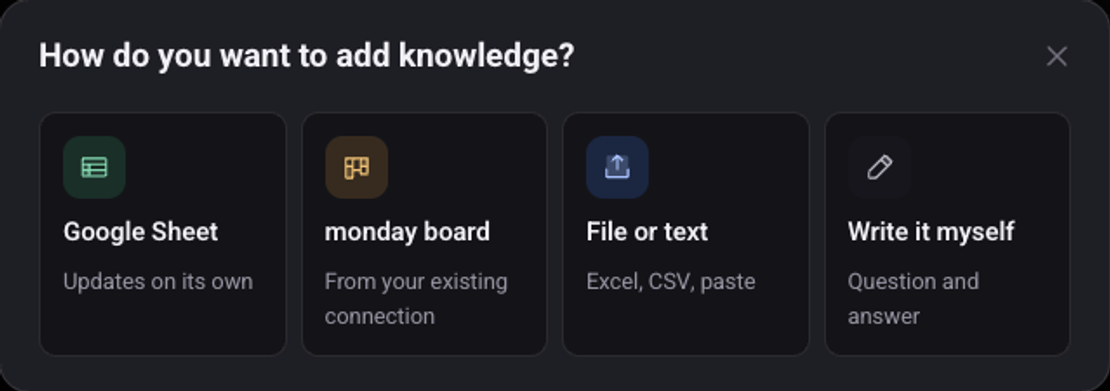
Pick where the knowledge comes from
"Google Sheet" updates on its own. "File or text" takes Excel, CSV or pasted text. "Write it myself" opens an empty table. If the agent already has knowledge, click "Add knowledge" first.
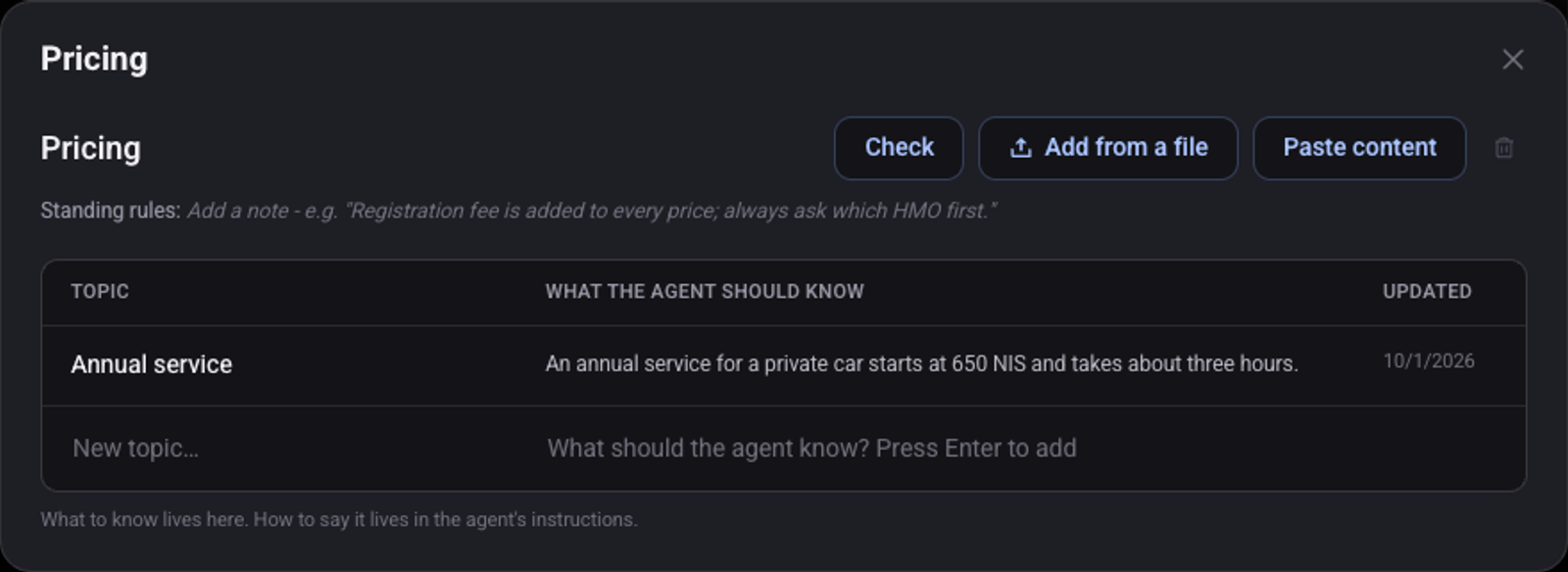
For "Write it myself": name the table, for example "Pricing", and click "Create"
On the table's row click the three dots and choose "Open"
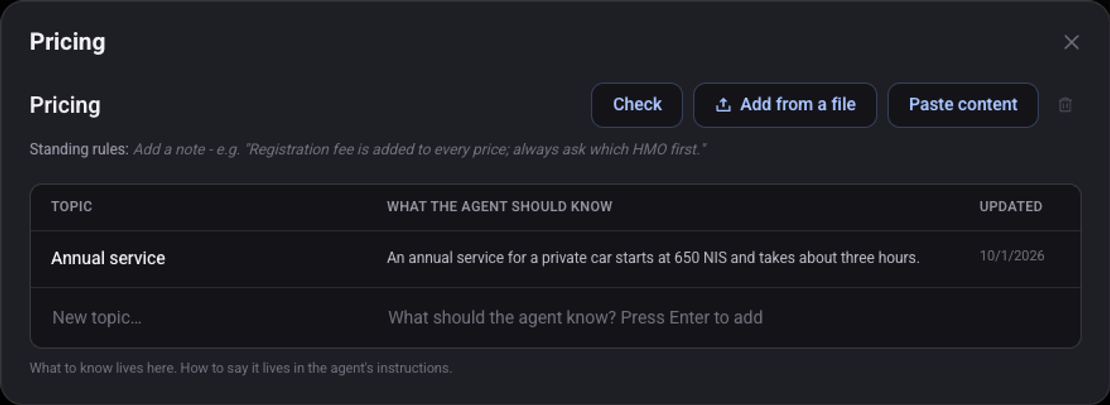
Write a topic and what the agent should know, then press Enter
Write the complete answer, the way you would want the agent to say it.
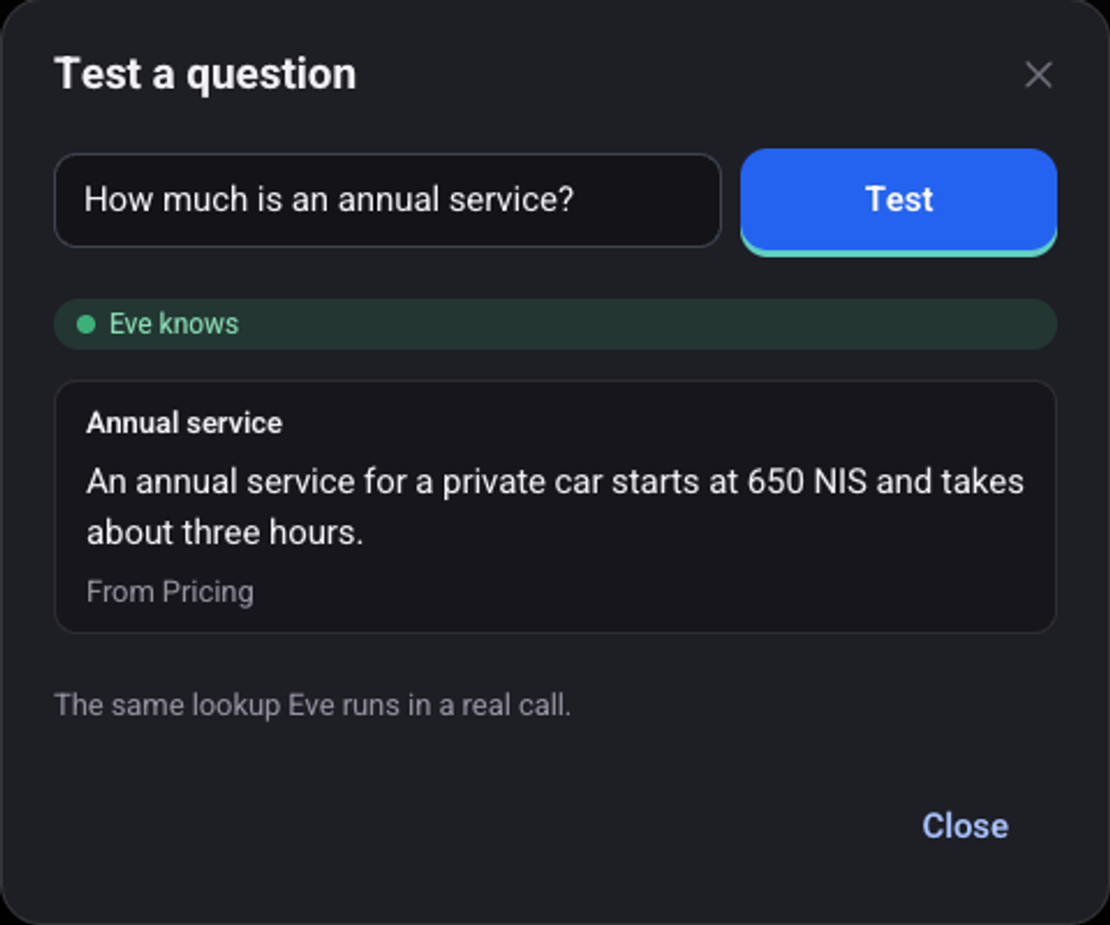
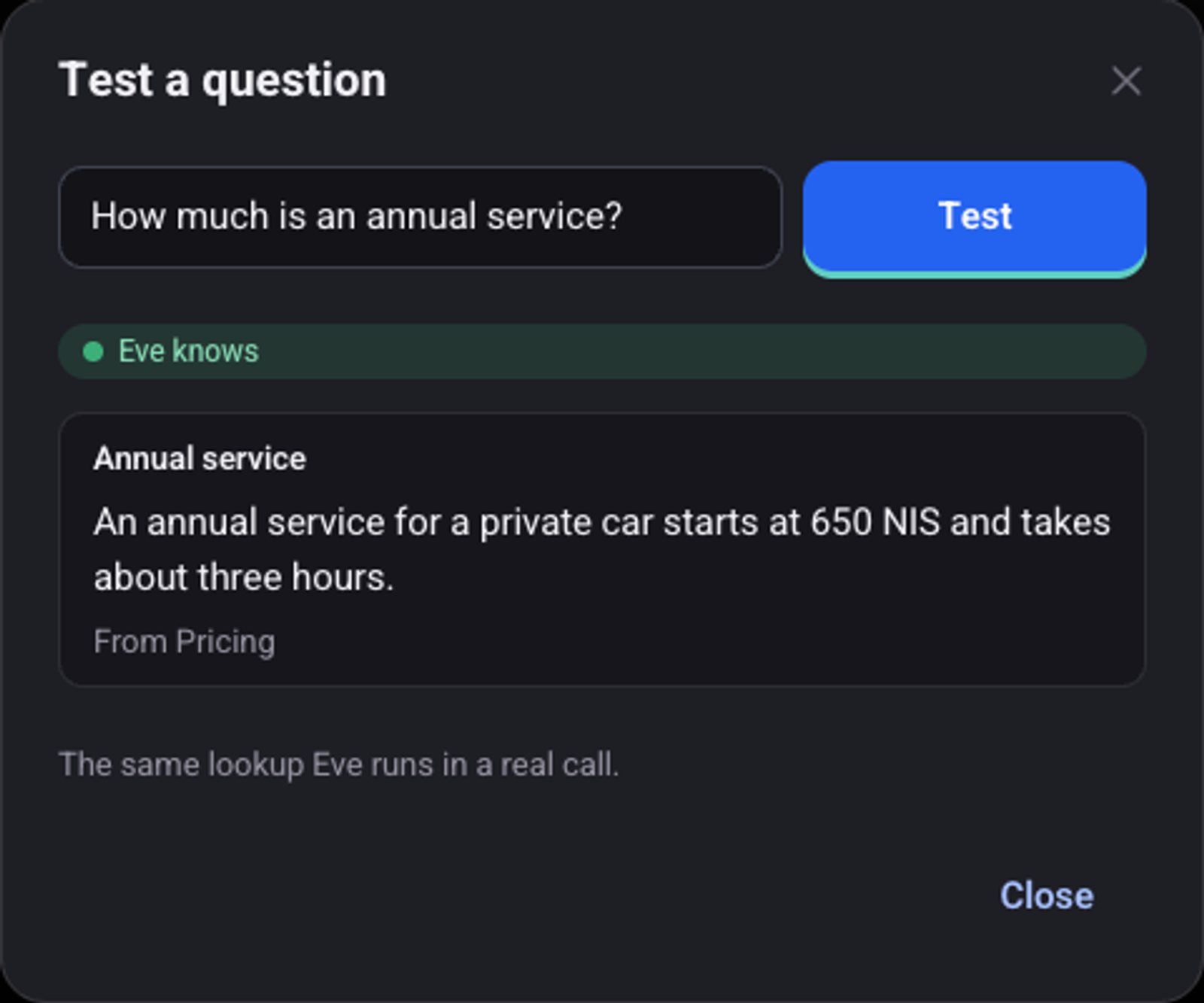
Click "Test a question" and ask the way a customer would
When the agent knows, the answer appears with the name of the table it came from.
What happens when the knowledge has no answer?
For an agent that also answers on chat, the row "When the knowledge has no answer:" decides between "Knowledge only", "Balanced" and "Free".
See also: how to write the script and the greeting and how to make a test call.