
How to run a different action for each call outcome
An automation does not have to run after every call. It can run only after calls with a certain outcome, and you create one automation per outcome.
On the agent page click "Configure", choose "Automations" and click "New automation"
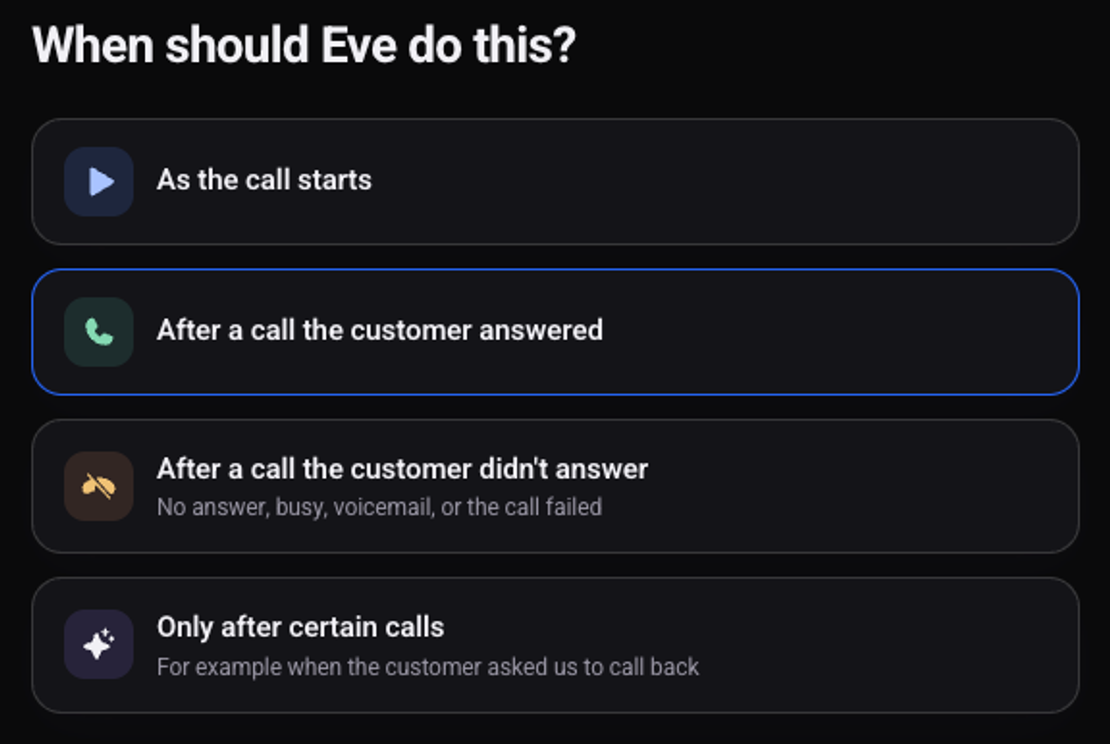
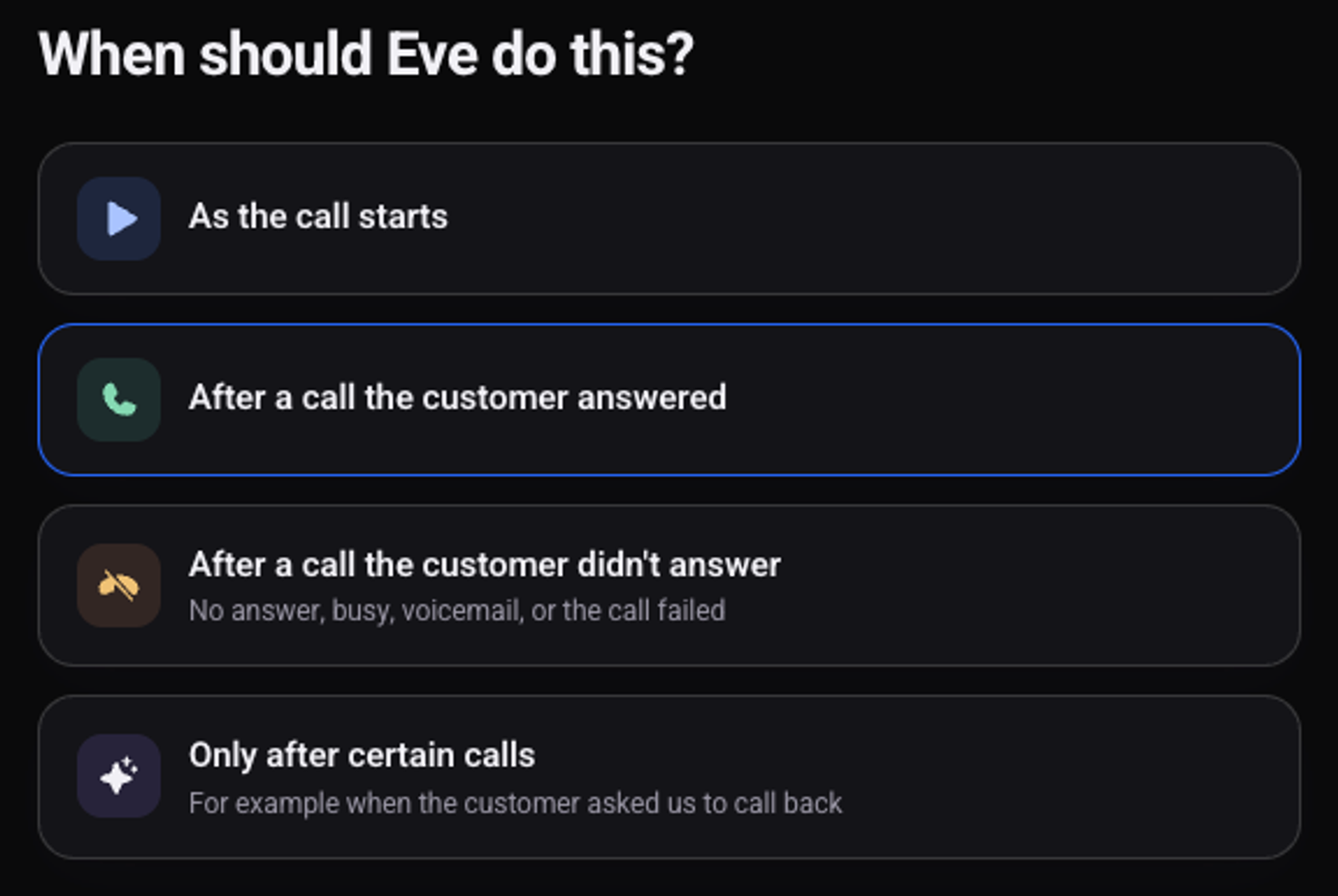
Choose "Only after certain calls"
For unanswered calls choose "After a call the customer didn't answer".
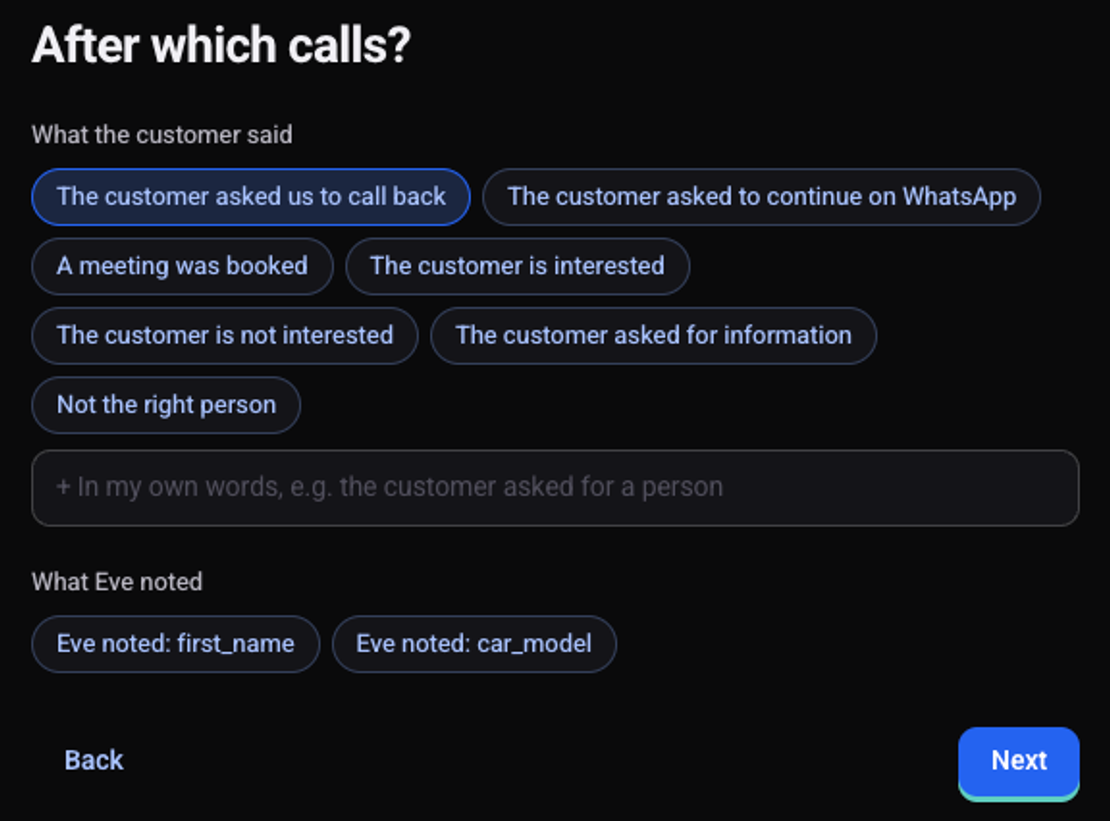
Under "After which calls?" choose what the customer said
For example "The customer is interested", "A meeting was booked" or "The customer asked us to call back". Write an outcome of your own in the "In my own words" field.
Click "Next" and choose what the agent does
For example send a message or update your CRM.
Check the preview and click "Turn on"
The automation shows in the list with the status "On".
Repeat for every outcome that needs its own action
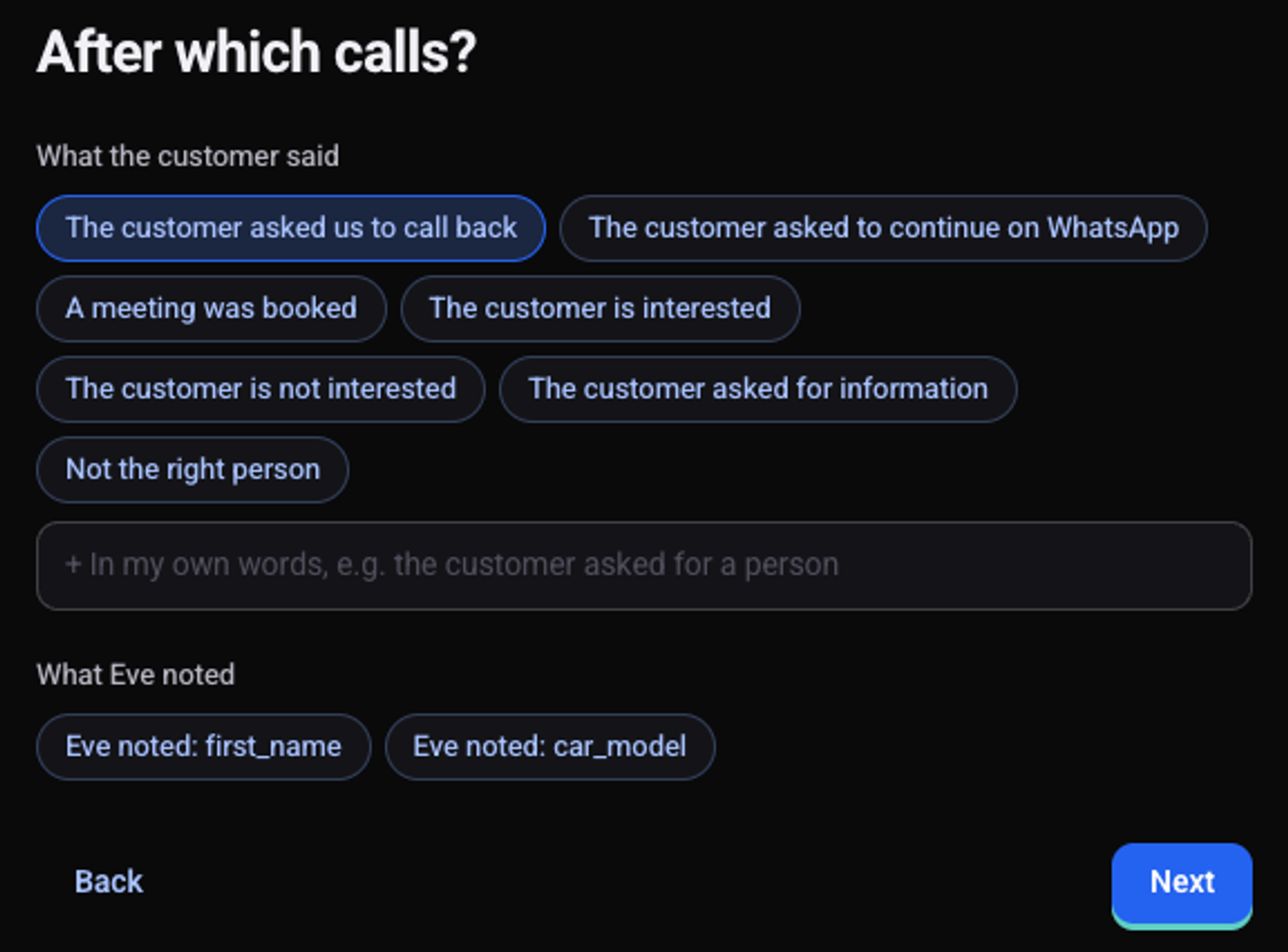
Can it also depend on a detail the agent collected?
Yes. On the same step, below the outcomes, you see the details the agent notes on a call. Choosing one runs the automation only on calls where that detail was noted.
See also: how to create an automation, how to message the customer after a call and how to update your CRM after a call.