
How the agent uses knowledge, and how to test it
When a customer asks a question, the agent looks for the answer in its knowledge sources. You can check what it will find without making a call.
On the agent page click "Configure" and choose "Knowledge"
Click "Test a question"
Type a question the way a customer would ask it, and click "Test"
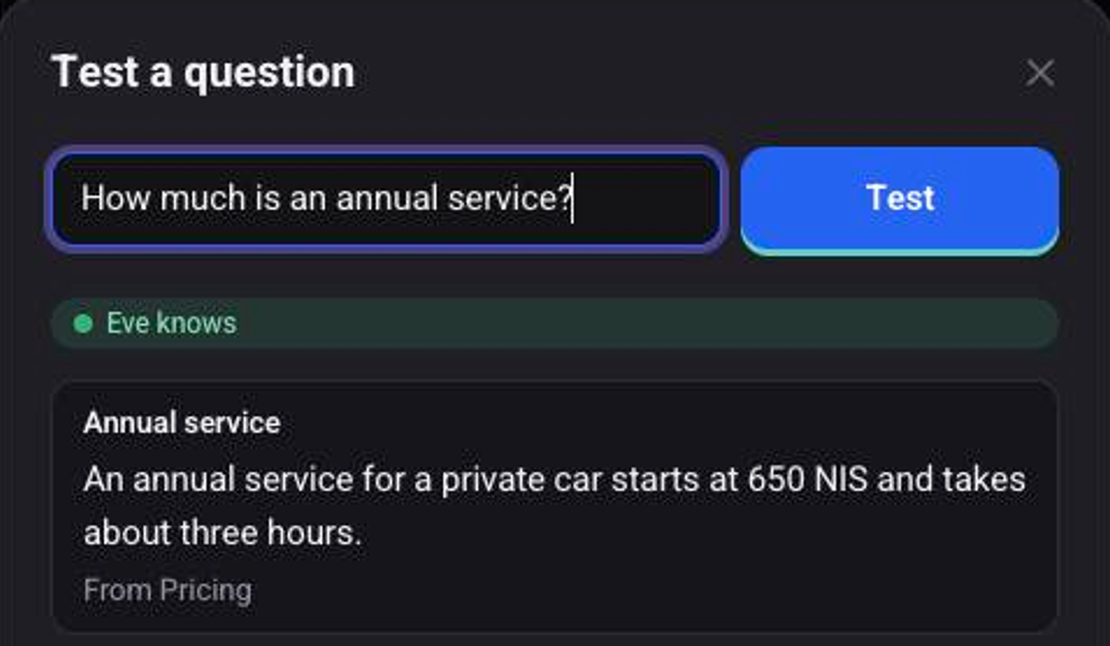
Read the answer and where it came from
Under the answer you see its source, for example "From Pricing". This is the same lookup the agent runs in a real call.
What does the agent do when the knowledge has no answer?
At the bottom of the screen, next to "When the knowledge has no answer:", choose one of three options:

- "Knowledge only": the agent answers questions about the business only from the knowledge you added.
- "Balanced": your knowledge first, general knowledge only after it.
- "Free": the agent also answers freely from general knowledge.
See also: how to add knowledge to the agent and how to make a test call.