
How to change the agent's name, language and voice
The agent's name, role, languages and voice are all on one screen.
On the agent page click "Configure" and choose "Identity"
Change "Name" and "Role"
The name is what the agent says when it introduces itself. The role shows under the name on the agent page.
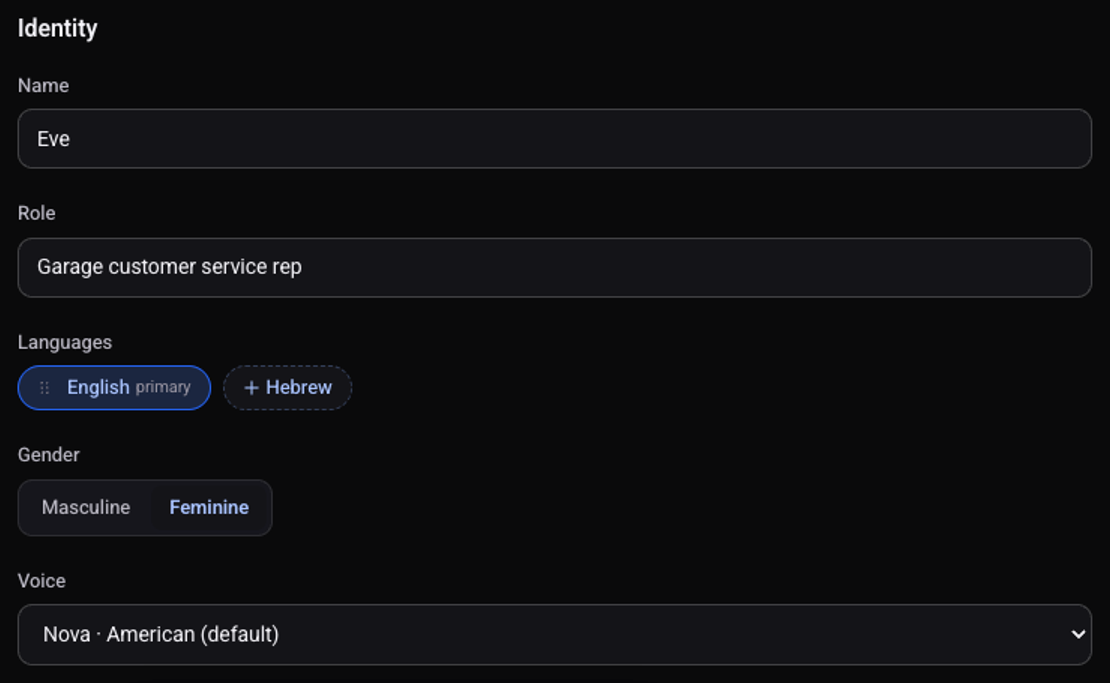
Under "Languages" click a language to add it
The first one is the primary language. Drag a language to reorder.
Choose "Gender": "Masculine" or "Feminine"
Choose a "Voice" from the list
The list of voices changes with the primary language.
Click "Save changes"
The new name shows at the top of the agent page.
See also: how to make a test call and how to write the script and the greeting.