How to use the customer's name in a call
A variable is a slot in the script that is filled with a detail about the customer, such as their name. The value arrives from the dial list, so this works on outbound calls.
On the agent page click "Configure" and choose "Behavior"
Click "Edit" on the "Greeting" card or the "Script" card
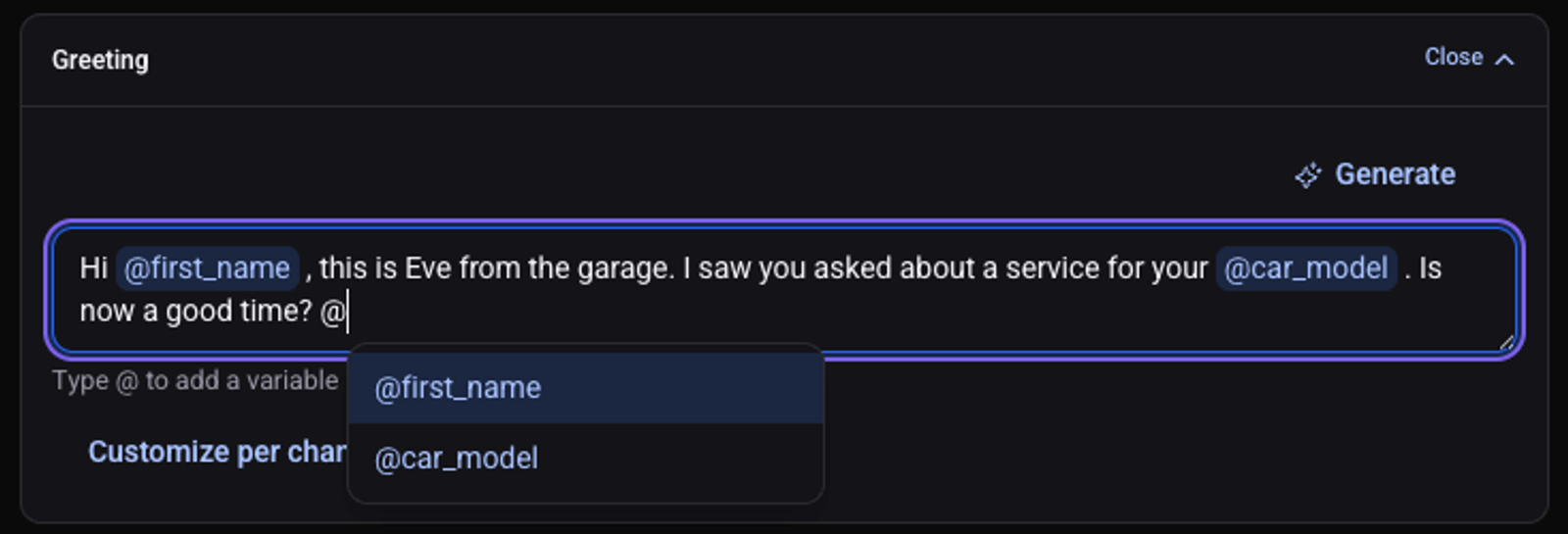
Type @ and pick a variable from the list
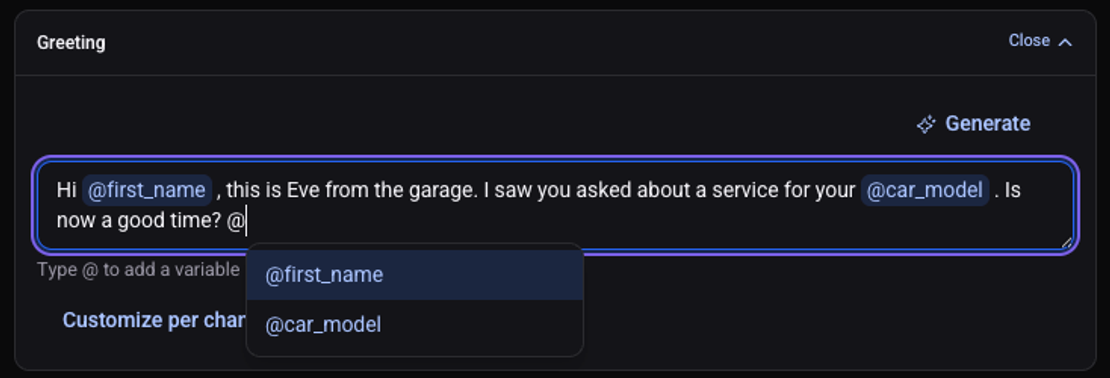
For a new variable: type @ and the name, then press Enter
A "Create" option appears with the name you typed. The name starts with a letter and has no spaces, for example
car_model. It is also the field name your system sends.Click "Save changes"
The button changes to "Saved", and the variable shows in the script as a tag.
Where does the value come from?
Every new variable is set to "From the list": the value arrives with the lead, from a field with the same name.
- API list: your system sends a field named like the variable. See how to trigger calls through the API.
- CRM list: while setting up the list you pick a CRM field for each variable. See how the agent calls leads from your CRM.
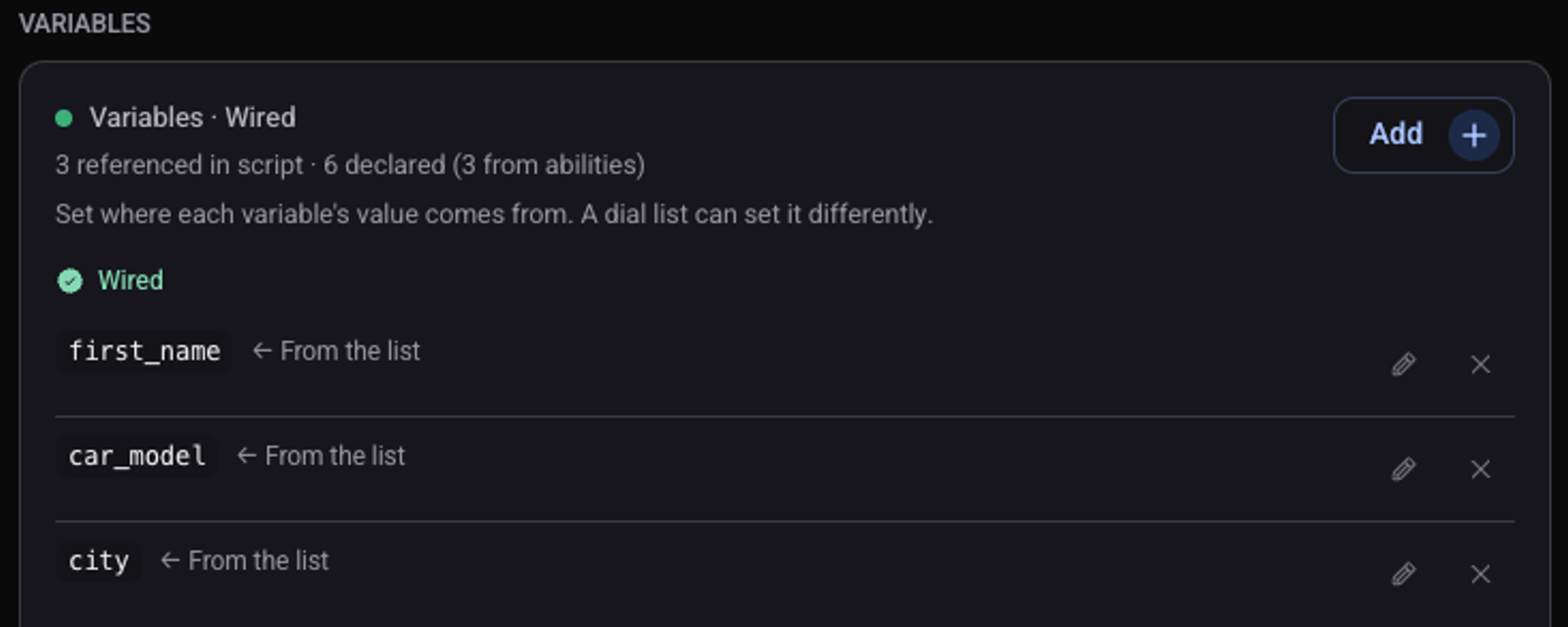
The source of each variable is under "Show advanced settings", on the "Variables" card. When editing a variable, "Use" lets you choose "First name only": from a full name such as Dana Cohen the agent says only Dana.
How do I test it?
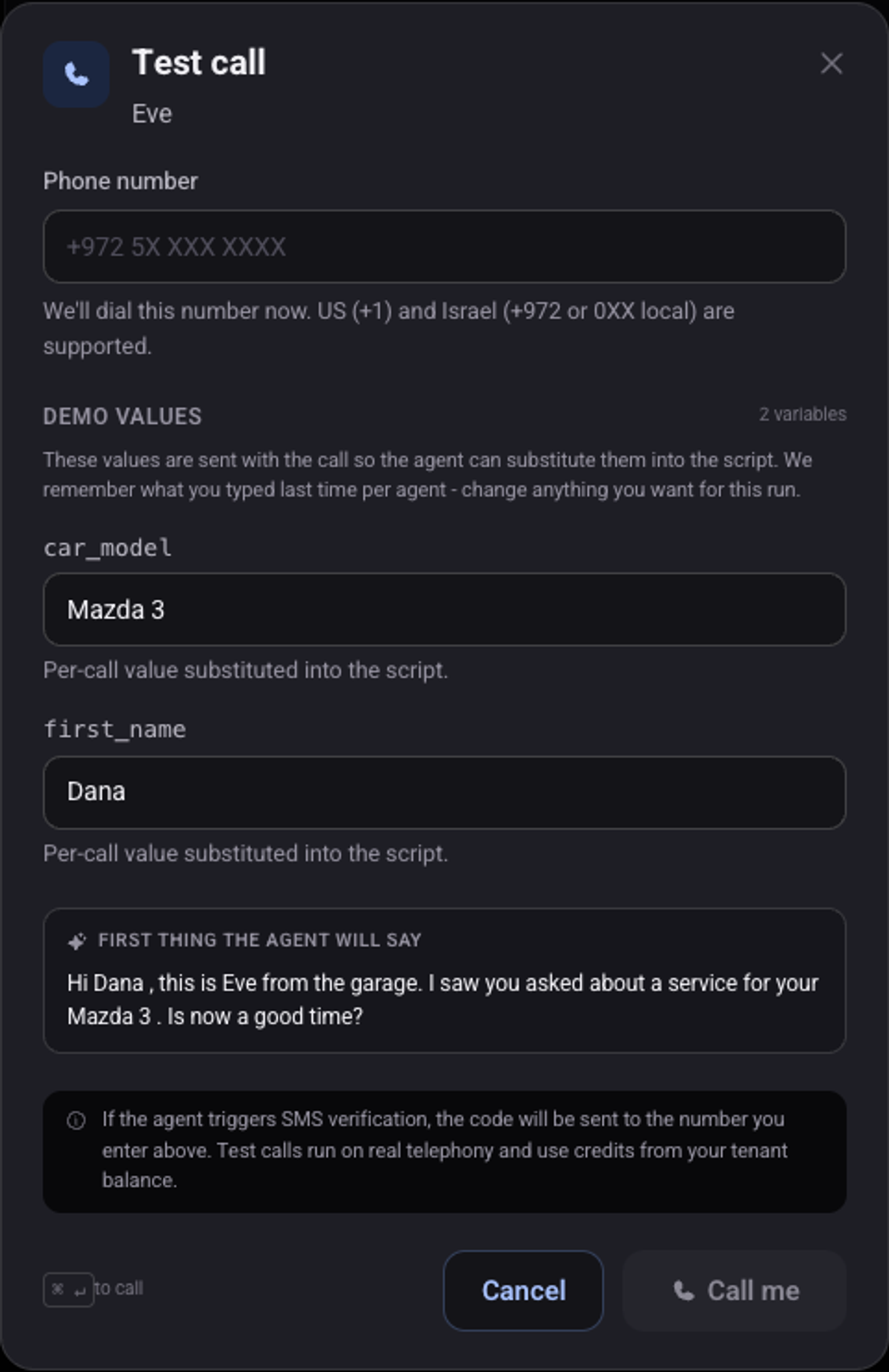
Click "Test call" at the top of the screen
Fill in a value for each variable under "Demo values"
The agent's first sentence updates with the values.
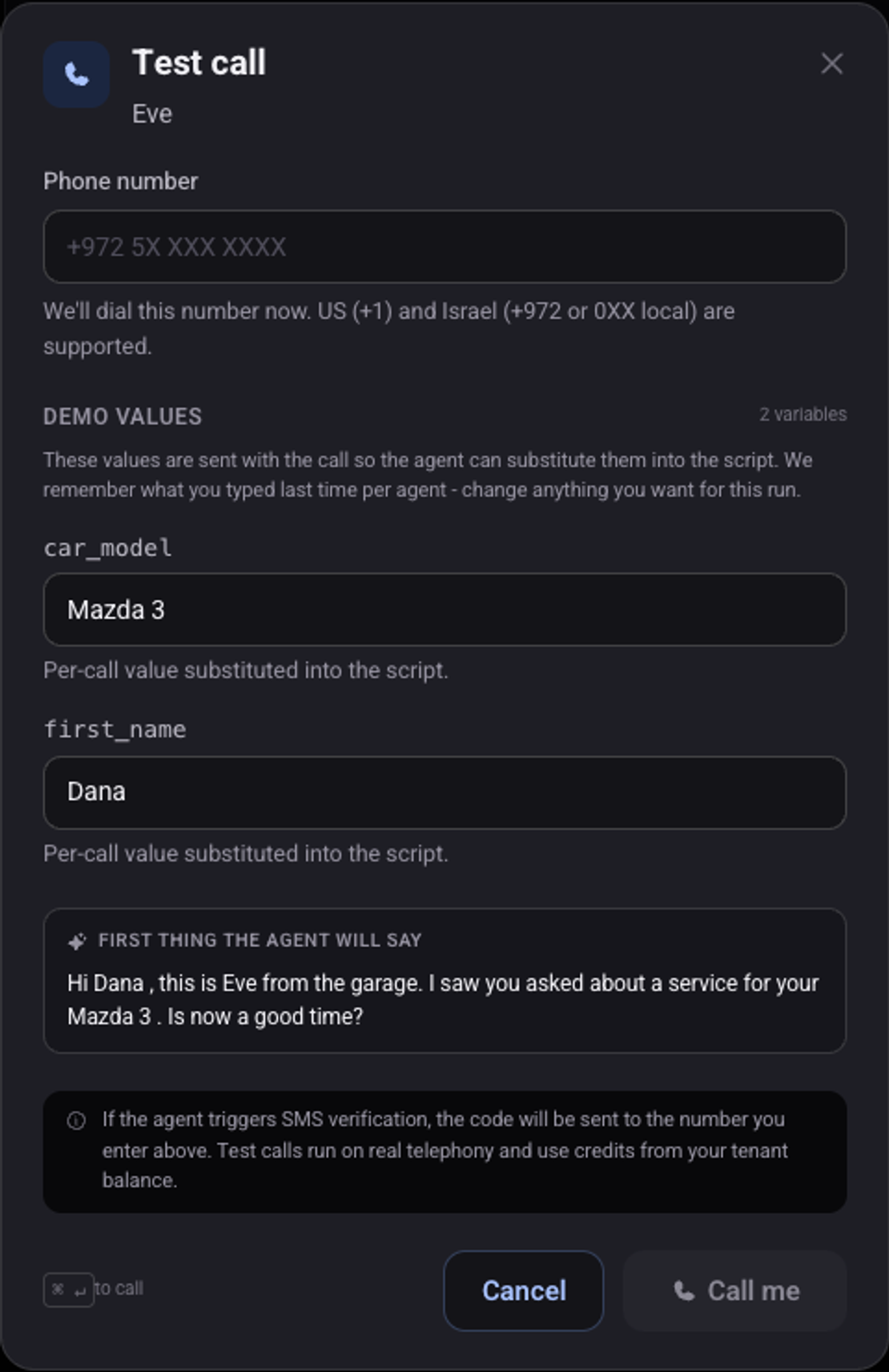
Click "Call me" and listen
The agent opens the call with the name you entered.