
How to see who is in the call queue and remove them
The queue lists, in order, everyone the agent is about to call: leads from automations, customers who asked to be called back, and records from your CRM.
Open the agent settings with "Configure", then "Outbound calls"
Go to "Log", then "Queue"
The top shows how many are waiting and how many were dialed today. A call in progress is marked "On a call".
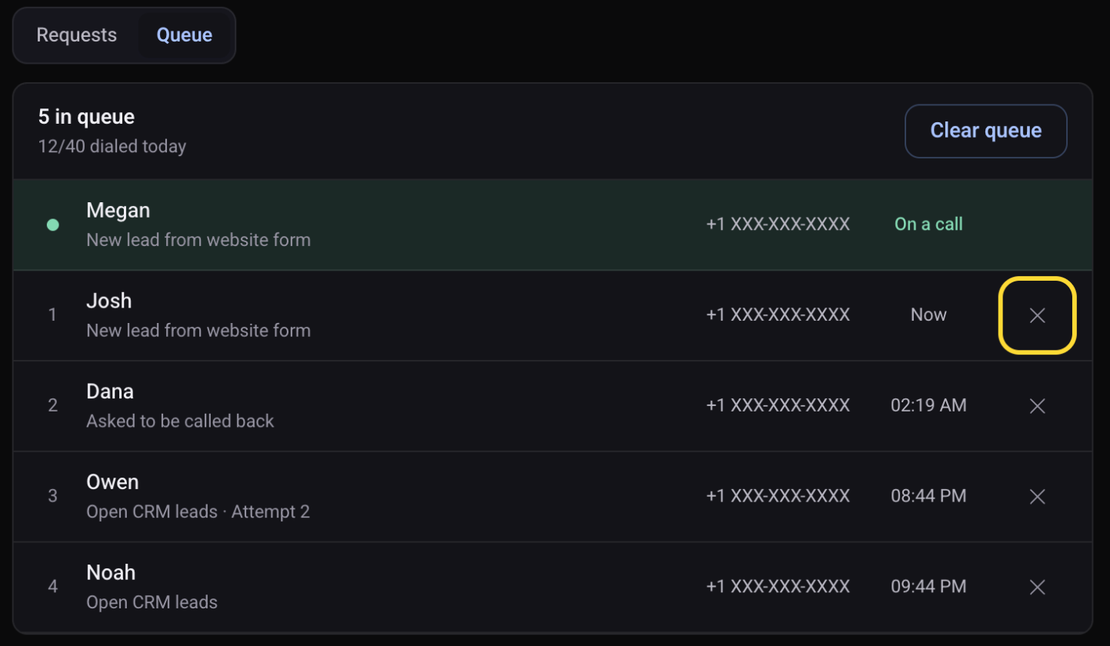
To remove a lead, click the X at the end of its row
A "removed from the queue" message shows with "Undo" for a few seconds. After that the agent will not call the lead.
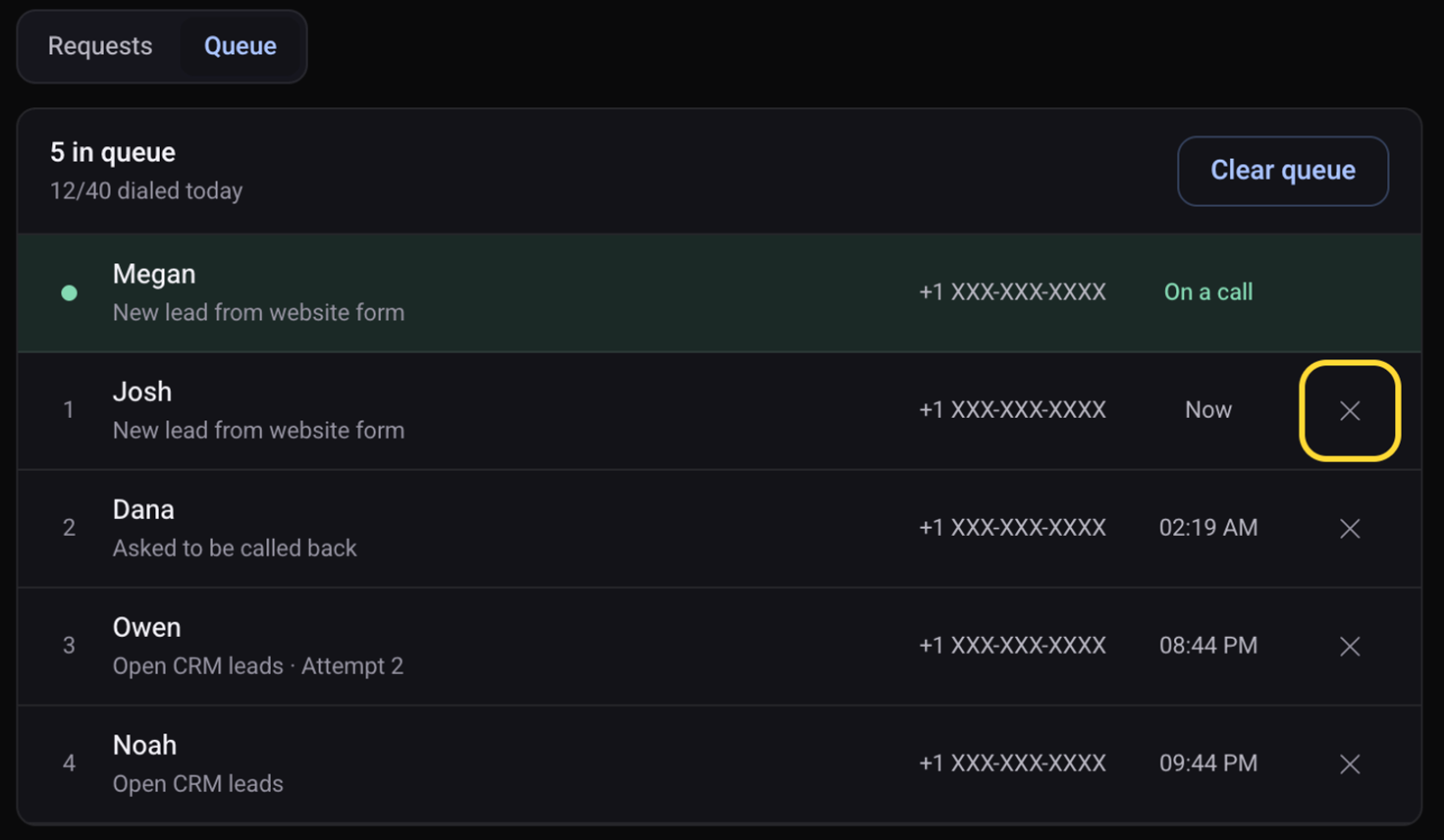
What does each row show?
- Under the name: where the lead came from. The automation name, "Asked to be called back", or the CRM list name. "Attempt 2" is a retry.
- On the side: when the agent will call. "Now", a time, or "Tomorrow" and a time.
- At the bottom of the queue: how many more open records are waiting in the CRM.
How do I empty the whole queue?
Click "Clear queue" and confirm. CRM records stay in the queue, and you can remove them one by one.
See also: why a lead was not called, how to set who, when and how many times the agent calls and how the agent calls back a customer who asked.